> ## Documentation Index
> Fetch the complete documentation index at: https://mintlify-mintlify-add-hello-world-quickstart-48843.mintlify.site/llms.txt
> Use this file to discover all available pages before exploring further.
# Stainless
> 在 API 交互测试台中自动生成 SDK 示例代码片段
## 前提条件
* 拥有一个 [Stainless](https://app.stainless.com) 账户。
## 集成 Stainless
在你的 `stainless.yml` 配置文件中,添加 `openapi.code_samples: 'mintlify'`。更多信息请查看 [Stainless 文档](https://app.stainless.com/docs/guides/integrate-docs)。
在你的 Stainless 项目中:
1. 选择 **Release** 选项卡。
2. 选择 **Setup OpenAPI publishing**。
3. 复制指向公开可访问的 OpenAPI 规范的 URL。
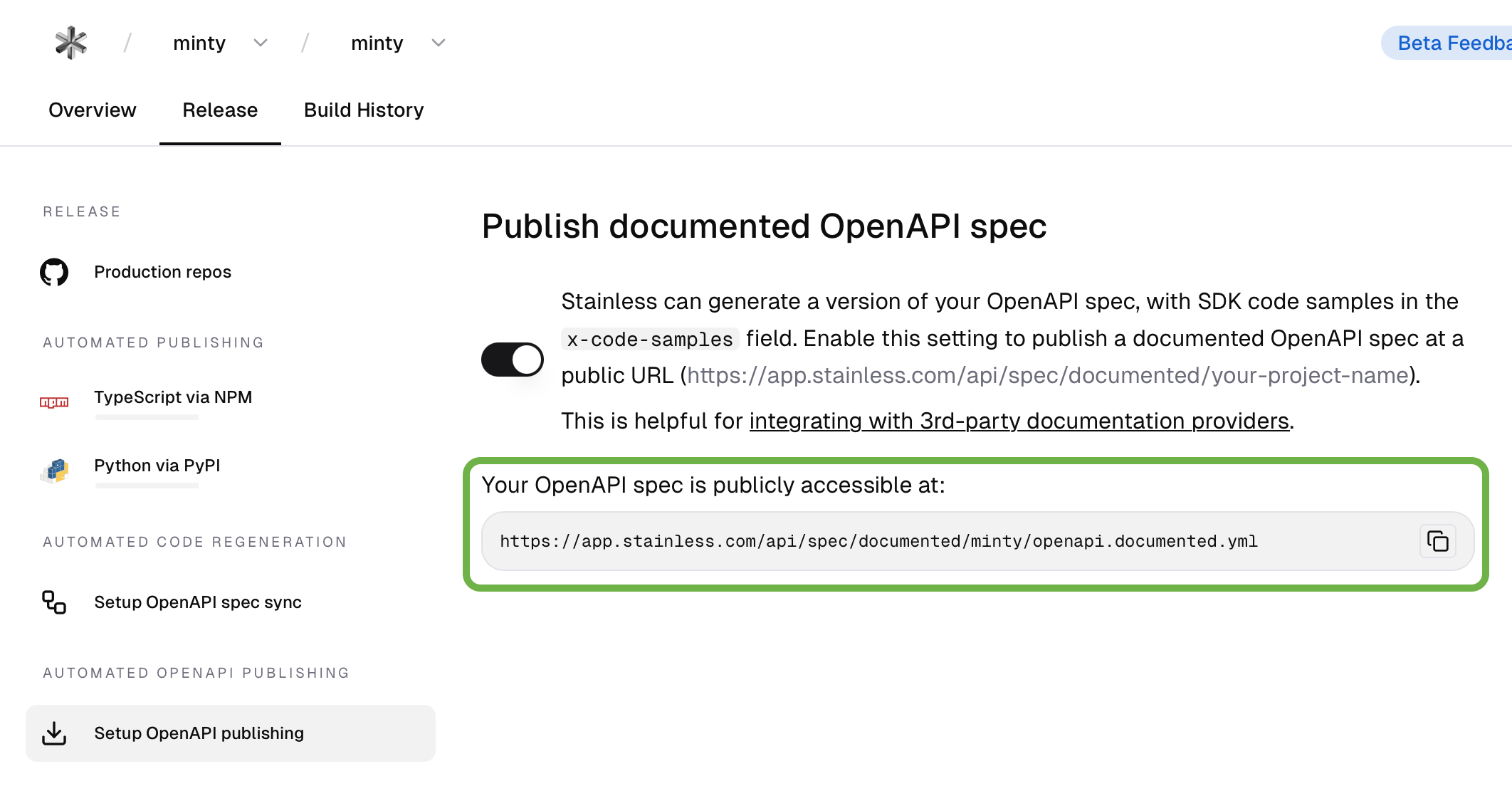 将你的 OpenAPI 规范 URL 添加到
 docs.json 中。}>
在你的 `docs.json` 文件中,将来自 Stainless 的该 URL 添加到 `openapi` 字段。更多信息请参阅 [OpenAPI 设置](/zh/api-playground/openapi-setup)。